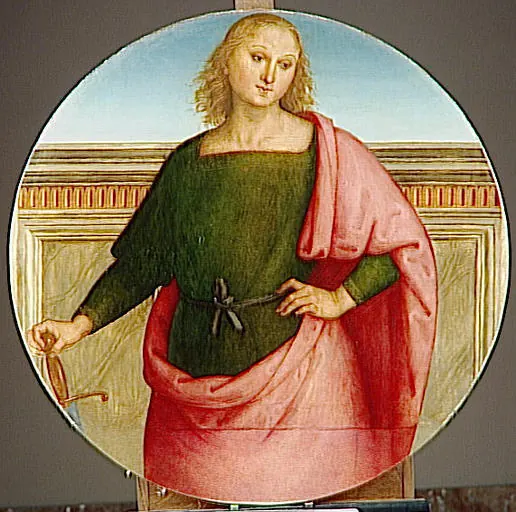
This guide is for visitors who mainly want art. It separates virtual art museums from general museum lists so a reader can choose by collection, period, style, or learning need.
For a first visit, use the Louvre for famous art, The Met for gallery atmosphere, Rijksmuseum for close object viewing, and MoMA for modern art.
Quick Index
| Resource | Place | Type | Main Use | Why it is useful |
|---|---|---|---|---|
| The Louvre Online Tours | France | online tour | art | A famous art museum with selected online tour experiences. |
| The Met 360 Project | United States | 360 video | art | Short 360 videos that show galleries and architecture clearly. |
| Uffizi Galleries Online Exhibitions | Italy | online exhibits | art | Useful for Renaissance art and themed art stories. |
| Rijksmuseum Rijksstudio | Netherlands | collection | art | High quality collection browsing for close looking and image study. |
| MoMA Online Collection | United States | collection | modern art | Modern and contemporary art collection with clear object records. |
| Getty Museum Collection | United States | collection | art | Good for object research, images, and art history reading. |
| The National Gallery Virtual Tours | United Kingdom | virtual tour | art | Virtual access to London art galleries and well-known paintings. |
| Musee d’Orsay Collections | France | collection | impressionism | A useful source for nineteenth century art and Impressionism. |
| Museum of Fine Arts Boston Collections | United States | collection | art | A large collection database for art objects and research. |
| Smithsonian American Art Museum | United States | collection | art | Large online art collection with object pages and stories. |
| National Portrait Gallery | United States | collection | art, history | Portrait collection useful for people, biography, and history lessons. |
| Tate Kids | United Kingdom | kids resource | art | Friendly art activities, games, and simple art explanations. |
By art need
Use collection databases for close study, 360 tours for room feeling, and online exhibitions for a guided story.
For students
A student can choose one artwork, write what is visible, read the object page, and compare it with one related work from another museum.
How to Use This Page
Open the official page from the index, check the access note, and choose one clear goal before starting. For a visit, the goal can be a room, a collection, or one question. For a class, the goal should be a short task. For a creator, the goal should be an example to study, not a page to copy.
Suggested Route
- If the reader wants to visit now, start with the broadest official resource in the index.
- If the reader wants to compare options, open three resources from different types.
- If the reader wants a class activity, choose one resource and prepare a worksheet.
- If the reader wants to make a project, collect examples first and then choose a tool.
Related Guides
FAQ
What is the easiest virtual art museum?
The Met 360 Project and the Louvre online tours are simple starting points.
Which pages help with research?
Rijksmuseum, Getty, MoMA, and MFA Boston have useful object records and collection search.
Are online art images safe to reuse?
Check the official page for image rights before reuse, especially for publishing or class handouts.