This page collects virtual museum examples and explains what each type teaches. Examples are useful because they show different shapes: room tour, object database, 3D collection, education exhibit, and memorial learning.
Use UNESCO to study purpose, Smithsonian 3D to study objects, Google Arts & Culture to study scale, and Europeana to study themed online exhibits.
Quick Index
| Resource | Place | Type | Main Use | Why it is useful |
|---|---|---|---|---|
| UNESCO Virtual Museum of Stolen Cultural Objects | Global | 3D museum | heritage | A focused cultural heritage example with a clear public purpose. |
| Smithsonian 3D | United States | 3D collection | 3D | 3D scanned objects that show what a digital object experience can be. |
| Smithsonian Open Access | United States | open collection | collections | Open images and data for research, study, and creative projects. |
| Google Arts & Culture Street Views | Global | 360 index | art, culture | A broad doorway to museum spaces and cultural sites around the world. |
| The Met 360 Project | United States | 360 video | art | Short 360 videos that show galleries and architecture clearly. |
| Europeana Exhibitions | Europe | online exhibits | culture | Themed digital exhibitions using European cultural collections. |
| Museum of the American Revolution Virtual Tour | United States | 360 tour | history | A strong American history tour for school use. |
| United States Holocaust Memorial Museum Online Exhibitions | United States | online exhibits | Holocaust | Serious official online exhibitions for Holocaust learning. |
| Omeka | Global | open source | collections | Made for digital collections, archives, and public object records. |
| CollectionBuilder | Global | open source | collections | A static digital collection path for metadata-driven projects. |
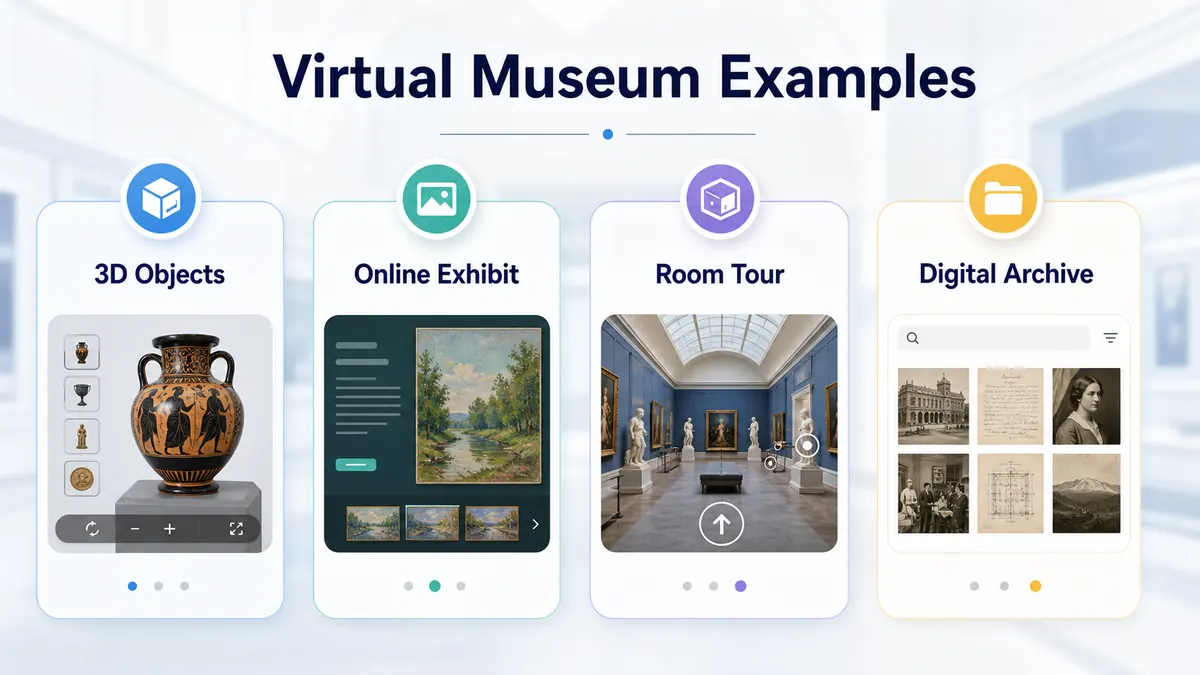
Main example types
A virtual museum can be a walkable tour, a digital collection, a story exhibition, a 3D object viewer, a classroom project, or a hybrid of several types.
How to learn from examples
Do not copy the surface. Look at audience, object choice, navigation, text length, source links, and how the visitor knows what to do next.
How to Use This Page
Open the official page from the index, check the access note, and choose one clear goal before starting. For a visit, the goal can be a room, a collection, or one question. For a class, the goal should be a short task. For a creator, the goal should be an example to study, not a page to copy.

Suggested Route
- If the reader wants to visit now, start with the broadest official resource in the index.
- If the reader wants to compare options, open three resources from different types.
- If the reader wants a class activity, choose one resource and prepare a worksheet.
- If the reader wants to make a project, collect examples first and then choose a tool.
Related Guides
FAQ
What is a good virtual museum example?
A good example has a clear topic, useful objects, easy navigation, and official source information.
Do examples need 3D rooms?
No. A strong digital collection or online exhibit can work better than a weak 3D room.
Which examples help creators most?
UNESCO, Smithsonian 3D, Omeka projects, and CollectionBuilder examples are useful for planning.